

Consistent bulk personalization comes from five operational habits: structured intake instead of free text, postponed differentiation, defined batch windows with hard approval cutoffs, production cells with per-step quality checks, and one master record per order that tracks proof and production status together. Suppliers like Loots by Shiry use curated options and stated turnaround windows to keep this predictable. The sections below walk through the intake fields, batch rules, tooling choices and quality checklists that make it work.
TL;DR:
- Production should begin only after proof approval; approved files should become read only, and later changes should receive a new version number.
- Set a dated approval cutoff for each batch; late edits should wait for the next window or incur a rush fee.
- Keep one order record with the batch and order IDs, approved proof version, payment status, ship by date, and separate proof and production statuses.
- Before production, compare each approved proof with its production file; at packing, scan the order ID against its label before sealing.
- Estimate capacity from cycle time: at four minutes per embroidered item, a batch of 120 requires eight station hours, before packing time.
Table of Contents
- What mass customization means for your bulk personalised orders
- Design a structured intake and proof workflow
- Batch windows, approval cutoffs and the master order record
- Production cell design and postponement strategy
- Quality control, scan verification and packing checklists
- Tools and simple tech: spreadsheets, web-to-print and middleware
- Real-world example: how Loots by Shiry implements consistent personalization
- Timing, expectations and the legal basics of custom goods
- Techniques for maintaining colour and print consistency across large batches
- Quality control metrics and benchmarks specific to personalized bulk orders
- Communication protocols to manage client expectations on personalization consistency
- Scalability challenges and solutions in bulk personalization processes
- Examples of successful consistency practices in similar event favour personalization businesses
- Author perspective: testing and scaling personalization safely
- How Loots by Shiry supports bulk personalised loot bags and favours
- FAQ
- Sources
What mass customization means for your bulk personalised orders
Mass customization is the practice of making individually personalised products at close to the speed and cost of standard mass production. The trick that makes it possible is called postponement: you build and stock the generic, unpersonalised parts of a product in advance, then add the customer-specific details, a name, a colour, a patch, only once an order is confirmed. Mass customization relies on this split between modular components and late-stage differentiation to keep unit costs low while still letting every order be different.
For a bulk personalised order, this means two separate problems get solved separately. The generic problem, how many tote bags or tumblers you need on hand, gets handled through normal inventory planning. The personalisation problem, whose name goes on which item, gets handled through a tight, late-stage process that touches each unit only once. Keeping generic stock separate from the customer-specific layer also reduces inventory risk and speeds turnaround, because you are never holding finished, name-specific inventory that cannot be resold if an order changes.
This matters operationally because the two problems have different failure modes. Generic stock mistakes are forecasting errors. Personalisation mistakes are transcription errors, wrong name, wrong colour, wrong SKU, and they are the ones that generate refunds, remakes and angry parents three days before an event. Every section that follows is really about preventing that second category of error: structured intake stops bad data from entering the system, batch windows and cutoffs control when personalisation happens, and production cells with per-step checks catch mistakes before they reach a box.
Design a structured intake and proof workflow
Most consistency failures start at intake, not in production. A free-text box where a customer types a name, a colour and a note to the organizer invites typos, ambiguous instructions and version confusion the moment an order is edited. The fix is to treat intake like a form a machine will read, not a message a person will interpret.
A practical intake record needs, at minimum:
- Order and batch ID: links every downstream file, proof and packing label back to one record.
- Customer name and SKU: identifies who the order belongs to and exactly which product variant is being personalised.
- Exact personalization text: the literal characters to be printed, embroidered or engraved, with no paraphrasing allowed.
- Proof status and approved version number: distinguishes a draft from something cleared for production.
- Payment status and deadline or event date: determines whether an order can even enter a batch.
- Production and packing status: shows where the physical item is right now.
A workable master record needs exactly these fields to function as an order system rather than a loose collection of notes, whether it lives in a spreadsheet or a dedicated tool.
Wherever the product line allows it, replace free text with curated choices: dropdowns for colour, font and icon selection, constrained character limits for names, and file upload fields (with format and size rules) for logos or artwork instead of a description of what the logo should look like. This is also where a page describing curated personalization options can show customers the exact menu of choices before they ever reach checkout, which cuts down on back-and-forth clarification emails.
File naming and version control close the loop. A simple convention, order ID, then SKU, then version number, then proof or final, keeps a production file from ever being confused with a draft. The record should carry two separate status flags: proof status (draft, sent, approved) and production status (queued, in progress, packed). An item never enters production until proof status reads “approved” and the production record is explicitly flipped to reflect it.
Pro Tip: Lock every approved proof as read-only the moment it is confirmed; if a customer wants a change after that point, it becomes a new version with a new number, never an edit to the approved file.
Batch windows, approval cutoffs and the master order record
Batching turns a pile of individual orders into a predictable production run. Instead of personalising items as orders trickle in, you group them into windows, daily, twice weekly or weekly depending on volume, and lock each batch at a fixed cutoff time before production starts.
A workable cadence for a small to mid-size operation:
- Open a batch window (for example, Monday to Wednesday) during which new orders and edits are accepted freely.
- Set a hard approval cutoff (end of day Wednesday) after which no further text, colour or artwork changes are accepted for that batch.
- Run the pre-production audit comparing every approved proof against its production file before any cutting, printing or embroidery begins.
- Flip the batch to “locked for production” so no one can quietly slip in a late edit.
- Release to the production cell once the audit passes, with a ship-by date attached to the batch, not just the individual order.
Maintaining a locked-for-production flag paired with an automated pre-production audit that checks approved proof text against the production file before any physical step begins is the single control that removes most remakes.
The master record for each order should carry, at minimum: batch ID, order ID, approved proof version, payment status, and ship-by date, all visible in one row or one card. That way anyone on the floor can answer “is this order ready to make” without opening five separate files.
Late edits and rush requests need an explicit policy, not an improvised exception every time. A reasonable rule: edits after the cutoff either wait for the next batch window or get charged a rush fee that reflects pulling the item out of its locked batch and reprocessing it alone. Publishing this rule up front, and linking it from a turnaround and planning page, sets the expectation before a customer ever asks for an exception.
Production cell design and postponement strategy
Ad-hoc personalization, where one person fits engraving or embroidery into whatever gaps exist in their day, works for a handful of orders. It falls apart once volume grows, because there is no defined cycle time, no clear handoff and no way to predict when a batch will finish. A production cell fixes this by treating personalisation as its own stage with its own inputs, outputs and timing.
A cell needs three things to function: a defined cycle time per personalisation type (minutes per embroidered name versus minutes per printed patch), a clear input (the locked, approved batch file) and a clear output (a finished, labelled item ready for the pack station). Enterprise-scale personalised fulfilment treats personalization as an engineered production capability with dedicated work cells, documented standard operating procedures per capability, and per-step quality checks rather than ad-hoc handling.
- Postpone personalisation to the last practical stage: keep generic tote bags, pouches or tumblers in stock and apply names, colours or patches only once a batch is locked.
- Separate SKUs that need different equipment: embroidery, printing and engraving each belong in their own cell with their own queue, rather than sharing one bench.
- Track consumable use (BOM) per batch: thread colours, ink cartridges and patch stock get counted against the batch they were used for, not estimated afterward.
- Build in a per-step QC checkpoint at every handoff: the item is checked against its approved proof before it moves to the next station, not just at the final pack.
Sizing a cell is mostly arithmetic once you know cycle time. If embroidering a name takes four minutes per item and a batch has 120 items needing embroidery, that single station needs eight hours of dedicated time, which tells you immediately whether one person and one cutoff cycle can clear the batch or whether you need two stations running in parallel. The same math applies to staffing a pack station once you know average pack time per item. Operations that formalize this throughput threshold, broadly once personalised order volume moves beyond a few hundred a month, tend to separate cleanly from the ad-hoc stage into something that behaves like an engineered program with trackable cycle times and documented SOPs.
Choosing the right finishing method also belongs at this design stage, since embroidery and printing carry different cycle times, equipment needs and durability. A comparison of embroidered versus printed finishing lays out the practical questions worth answering before committing a cell to one method over the other.
Quality control, scan verification and packing checklists
Quality control for personalised bulk orders has to catch three specific error types: wrong text, wrong SKU and wrong proof version, each at a different point in the flow rather than relying on one check at the very end.
A tight per-step QC protocol checks:
- Text accuracy against the approved proof, character by character, not just a glance for “a name is there.”
- SKU match between the physical item and the order record, since a correct name on the wrong product is still a wrong order.
- Proof version stamped on the production file matches the version the customer actually approved, not an earlier draft.
- Visual finish (stitching, print clarity, colour match) checked at the production cell before the item ever reaches packing.
Scan verification at the pack station adds a final, independent check: scanning the item’s batch and order ID against its packing label before the box is sealed catches any mismatch that slipped through earlier steps. This is the point where a finished item and its label get matched physically, not just on paper, and it is worth treating as non-negotiable regardless of how trusted the earlier steps are. A guide to packing presentation for event favours is a useful reference for building this final check into a repeatable packing routine.
Pro tip style discipline matters here too: run a short batch audit immediately before production starts, comparing every approved proof file against its corresponding production file, confirming payment status is clear, and confirming the ship-by date is attached to the batch record.
Statistic Callout: A documented locked-for-production flag combined with an automated pre-production audit is identified as the single control that eliminates most remakes in personalised bulk fulfilment, because it stops an unapproved or outdated file from ever reaching a cutting, printing or embroidery step.
Tools and simple tech: spreadsheets, web-to-print and middleware
A spreadsheet is genuinely adequate for lower volumes, provided it is structured to behave like an order system rather than a running list. That means one row per order, locked columns for approved proof text, a status column that distinguishes proof approval from production readiness, and no free-text notes replacing structured fields. A spreadsheet can work at smaller scale as long as it enforces the same fields and status logic a dedicated system would.
Once volume or complexity grows, an order management system or web-to-print tool earns its cost by removing manual transcription entirely. Core features worth checking for:
- Variable-data output: personalisation details flow straight from the order record into the production file, no retyping.
- CSV or API export: batch data can move into other tools (shipping, inventory, accounting) without manual re-entry.
- Production-ready file generation: the system outputs a file a machine or operator can use directly, already matched to the approved proof.
A robust order management or web-to-print tool automates production-ready file generation and helps keep quality consistent across a bulk personalised run, which matters more as order volume climbs.
Pro Tip: Pick tooling based on which error it removes, not on feature count: if most of your remakes trace back to retyping a name from an email into a production file, variable-data output solves that specific problem better than any other feature on the list.
The decision comes down to three questions: how many personalised orders are you processing per batch window, how many of your current errors trace back to manual re-entry, and does your current spreadsheet already enforce approval status before anything moves to production. Middleware that translates customer selections directly into production-ready specifications closes what is sometimes called the imagination gap, the space between what a customer meant and what a production file actually says.
Real-world example: how Loots by Shiry implements consistent personalization
Our personalisation process is based on the same principles: curated options instead of unlimited free text, stated turnaround windows, and production steps that match the proof before anything ships. Customers choosing personalized party favours select names, patches and colours from a defined menu rather than describing what they want in open text, which keeps intake data clean from the start.
We publish turnaround windows ranging from one to twelve weeks depending on order size and personalisation complexity, so planners know their approval deadline well before an event date rather than discovering it under pressure. That published window functions the same way an approval cutoff does in any batch workflow: it tells the customer exactly when their input needs to be locked in.
For finishes beyond standard printing, we offer custom ink alternatives as a production option, which lets an order move through a defined finishing step rather than a one-off improvised process. Mapped against the intake and batching practices described earlier, this mirrors the core idea: curated choices at intake, a clear approval deadline, and a defined production path for every finish we offer.
Timing, expectations and the legal basics of custom goods
Turnaround for personalised bulk orders typically depends on order size and personalisation complexity, which is why publishing a range rather than a single number sets realistic expectations. A stated turnaround window of one to twelve weeks gives planners a concrete deadline to work backward from when booking an event date.
Because personalised goods are made to order, standard return policies for off-the-shelf products rarely apply in the same way, which is why the approval cutoff matters as much legally as it does operationally: once a customer signs off on a proof, that approval is the record of what was agreed to.
Delivery timing also carries legal weight in Canada. Under Ontario’s consumer protection rules, a 30-day grace period applies after a contracted delivery date before a consumer gains the right to cancel, which means a clearly stated delivery date in the order confirmation is not just good practice, it is the reference point the law uses. Communicating that date plainly, and sticking to published batch and turnaround windows, keeps both the operational process and the legal expectation aligned. Rules vary by province and by the nature of the goods, so when a specific dispute arises, checking the applicable provincial consumer protection framework directly is worth the few minutes it takes.
Techniques for maintaining colour and print consistency across large batches
Colour drift across a large batch usually comes from one of three sources: different consumable lots (ink, thread, vinyl), different equipment calibration between stations, and proof files that were approved on a different screen or printer than the one used in production. Controlling all three starts with locking the proof to a specific colour reference rather than a screen rendering, so the production file carries an exact match value rather than an approximation.
Running consumables per batch rather than per order also helps: if an entire batch of 150 items uses thread from the same dye lot, colour consistency across that batch is almost automatic. Switching lots mid-batch is one of the most common causes of visible mismatch between early and late items in the same run, which is why BOM and consumable management tied to a specific batch ID, rather than tracked loosely across the week, is part of running personalisation as an engineered process rather than an improvised one.
A visual spot check at the production cell, comparing a sample item from the start, middle and end of a run against the approved proof, catches drift before an entire batch ships with a visible shift. This check belongs at the production cell itself, not only at final packing, because catching a mismatch early means only a few items need rework instead of the whole batch.
Quality control metrics and benchmarks specific to personalized bulk orders
The metrics worth tracking for personalised bulk orders are different from generic fulfilment metrics because the failure mode is almost always data accuracy, not shipping damage. Four numbers matter most: error rate (wrong text, wrong SKU or wrong colour per batch), rework rate (items remade after failing a QC check), throughput (items cleared per production cell per hour) and on-time ship rate (batches that leave by their stated ship-by date).
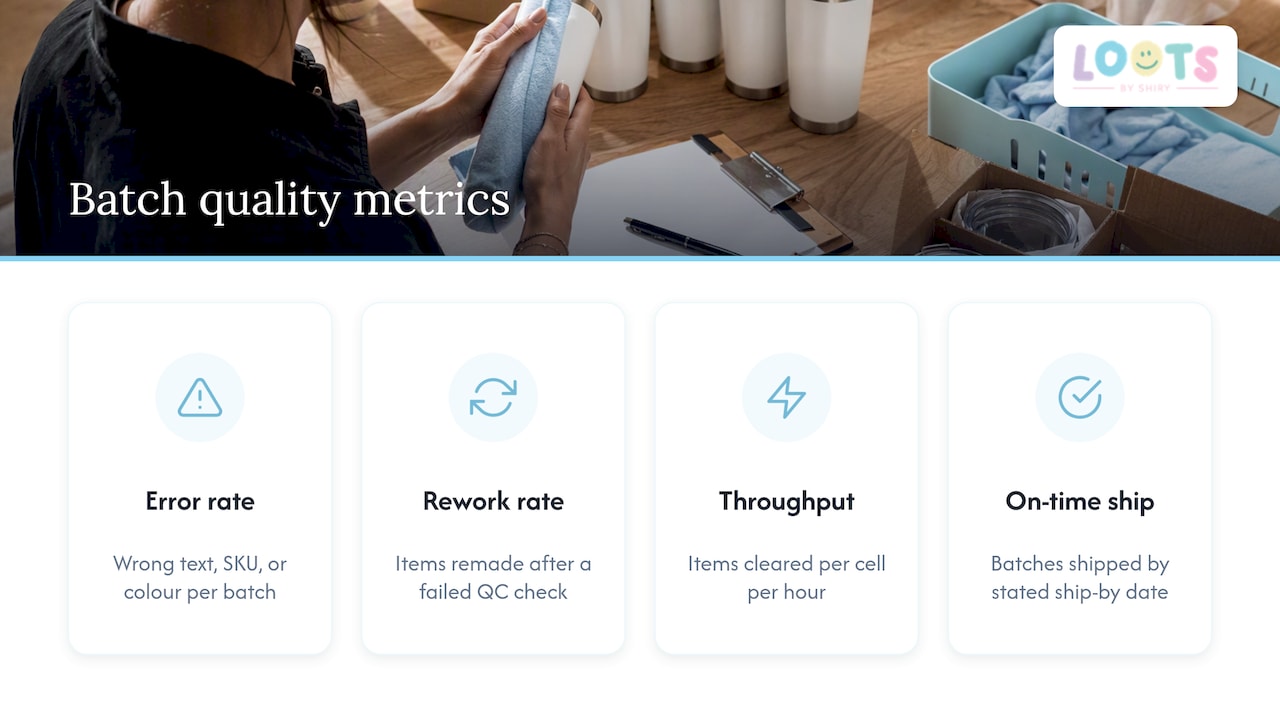
Tracking these per batch, rather than per month, makes problems visible while they are still small. A single batch with an unusually high error rate points directly at a specific intake form, a specific consumable lot or a specific operator, which is far easier to fix than noticing a vague quality slip across an entire quarter.
The pre-production audit described earlier, comparing every approved proof against its production file before any physical step begins, functions as the main benchmark event: a batch that passes audit with zero discrepancies is the baseline every operation should be measuring itself against, and a batch that needs multiple corrections before it is cleared is a signal to revisit the intake form or the proof process for that specific personalisation type.
Communication protocols to manage client expectations on personalization consistency
Clear communication about personalisation starts before an order is even placed, by showing curated options rather than inviting open-ended requests. A customer choosing from a defined menu of names, colours and patches already understands the boundaries of what is possible, which prevents the awkward conversation later about a request that cannot be produced consistently at scale.
The approval cutoff itself is the most important piece of client communication in the whole process. Stating it clearly, in writing, at the moment of order, and tying it to a specific calendar date rather than a vague “a few weeks before your event,” removes the single most common source of late-stage disputes: a customer assuming changes were still possible after a batch had already locked.
Confirmation messages at each stage, order received, proof sent, proof approved, batch locked, shipped, give a customer a clear status without needing to ask. This matters most for event-based orders, where a parent or planner’s real question is almost always “will this arrive in time,” and a status update answers that without a phone call. Publishing turnaround ranges and cutoff dates up front, rather than only when asked, also reduces the volume of individual status inquiries a growing operation has to field.
Scalability challenges and solutions in bulk personalization processes
The most common scaling failure is not a production bottleneck, it is intake chaos: as order volume grows, free-text fields and ad-hoc email threads multiply faster than any team can manually track, and errors climb well before a production line itself is overloaded. The fix is the same one that applies at any volume, curated intake fields and a locked master record, but it becomes non-negotiable rather than optional once a business crosses from a handful of orders a week into dozens or more per batch window.
A second scaling challenge is proof and production status drifting out of sync, where a customer’s “approved” email exists somewhere but the production file never gets flagged accordingly. Incomplete intake, ambiguous version control and proof or production status confusion are named as the core failure modes that worsen with scale, and the solution scales the same way regardless of size: explicit status flags, a locked-for-production state, and a pre-production audit that catches any mismatch before it reaches the floor.
A third challenge is staffing a production cell correctly as volume grows unevenly across batch windows. Modelling cycle time per personalisation type, rather than guessing based on last week’s workload, lets a small operation add a second station or a temporary shift only when the math actually calls for it, instead of reacting to a backlog after it has already formed.
Examples of successful consistency practices in similar event favour personalization businesses
Operations that handle personalised party favours and event gifts at volume tend to share a small set of habits regardless of their specific product line. Curated option menus, rather than open text fields, appear consistently as the starting point, because they turn an unpredictable customer request into a data field a production system can act on directly.
A second shared habit is publishing a clear turnaround window tied to order complexity rather than promising a single fixed date for every order. This sets an honest expectation at checkout and gives the business room to batch orders efficiently rather than treating every single order as an individual rush job.
A third habit, visible across operations handling larger personalised runs such as bulk superhero-themed loot bags for larger guest lists, is grouping similarly themed or similarly personalised orders into the same production batch wherever possible, since items sharing a colour palette, font or finishing method can move through the same production cell without reconfiguring equipment between customers. This is postponement and batching working together in practice: generic stock held ready, personalisation applied in a grouped run, and a clear window communicated to every customer placing that type of order.
Author perspective: testing and scaling personalization safely
Start with one personalisation capability, embroidered names, for instance, and run it through a tight batch cadence before adding a second option. Trying to launch curated colours, patches and custom text all at once makes it nearly impossible to tell which part of the system is actually causing an error when something goes wrong.
Track four numbers from day one: error rate, rework rate, throughput per production cell, and on-time ship rate against your stated turnaround window. These four tell you almost everything about whether a new capability is ready to scale or still needs a tighter intake form.
The mistake I’d flag hardest is leaving personalisation fields as open text because it feels more flexible for the customer. It isn’t. Unlimited free text is the single input a production system cannot automate or verify reliably, and every operation that scales eventually replaces it with curated, constrained choices. Do that from the start and the rest of the system gets much easier to build.
— Shiry
How Loots by Shiry supports bulk personalised loot bags and favours
For events that need loot bags personalised with names, patches or colour choices for a large guest list, a personalization process may be used that incorporates curated selection menus instead of open text, published turnaround windows to clarify approval deadlines, and finishing options including alternatives beyond standard printing.
Our shop carries Cotton Tote Bags and pastel pouches at $12.00 each and Colour Changing Tumblers at $10.00, all personalisable through the same curated process, while our loot bags page covers bundled options with a $0.50 per bag wrapping fee and $10 delivery. For a guest list needing consistent personalisation, a quote can be requested through the shop page to understand turnaround time options that fit event dates.
FAQ
How does mass customization work?
Mass customization works by keeping product components generic and in stock, then applying customer-specific personalisation, like a name or colour, only once an order is confirmed. This approach, called postponement, delays differentiation to the latest practical stage, which keeps unit costs close to standard mass production while still allowing individual customisation.
What does “bulk order” mean?
A bulk order means a single purchase or project covering a large quantity of items processed together, often for an event, organization or retail purpose, rather than individual one-off purchases. In personalisation contexts, bulk orders are typically grouped into batches with a shared approval cutoff and ship-by date rather than being produced one at a time.
What is the history of mass customization?
Mass customization as a business strategy grew out of efforts to combine the efficiency of mass production with the individual appeal of custom-made goods, relying on modular design to let standardized components be configured differently for each customer. The core idea, decoupling generic production from customer-specific finishing, remains the foundation of how personalised bulk orders are managed today.
What is the biggest cause of errors in personalised bulk orders?
The most common cause is unstructured intake, particularly open-ended text fields that invite typos, ambiguous instructions and version confusion once an order is edited. Replacing free text with curated dropdowns and structured fields, paired with a locked approval status, removes most of these errors before production even begins.
How far in advance should I place a personalised bulk order?
Turnaround depends on order size and personalisation complexity, and published windows for custom favour orders typically range from one to twelve weeks. Booking early and confirming your approval deadline as soon as you place the order avoids rush fees and keeps your order inside a normal batch window.
Sources
- How to batch personalized orders without spreadsheet chaos — Laticy
- Personalized fulfillment at scale — Productiv
- Mass customization — Corporate Finance Institute
- How printers can manage bulk orders & customization smoothly — OnPrintShop